Connected Apps
From profile claims to proof of work
Your credibility stays current as you share the apps you work in.
Where the evidence lives
Most of a LinkedIn profile is claims. You write down what you can do, and people take your word for it (or they don’t). The real evidence of your work lives somewhere else, in the apps you use every day.
So we set out to bring that evidence to your profile, without the extra work. Our Duolingo partnership, which let members show verified language skills, had already shown what a little proof can do. Connected Apps asked the next question: what if that worked for every tool you’re an expert in? Connect an app, and as you work in it, your profile keeps up on its own.
As design director, I owned the design for Connected Apps and shaped the product strategy alongside leadership, product, and business development, taking the feature from zero to one.
Earning trust, keeping it simple
The harder questions were about trust. For any of this to mean something, the information has to come from the partner, based on how you actually use their product, and members need clear notice and control over what shows up on their profile.
AI was part of the strategy from the start. A more current, credible profile could power better hiring tools and more trustworthy AI summaries of who you are, but not at the expense of our members’ trust. So we landed on something much simpler.
An interactive prototype that builds conviction
I’ve long believed the best way to get everyone on board, from the team to leadership to anyone else you need to bring along, is something they can hold and tap through. It goes far beyond a Figma mock, or even a Figma prototype.
With the announcement set for Cannes in June, the business development team needed an easy way to show partners the feature before it was fully live, from viewing a profile to editing one. As the feature was being built by engineering, I moved back into a principal designer role, which freed me up to get hands-on again. So I built this prototype in about a week, on top of my earlier design prototypes.
The best way to get everyone on board is something they can hold and tap through.
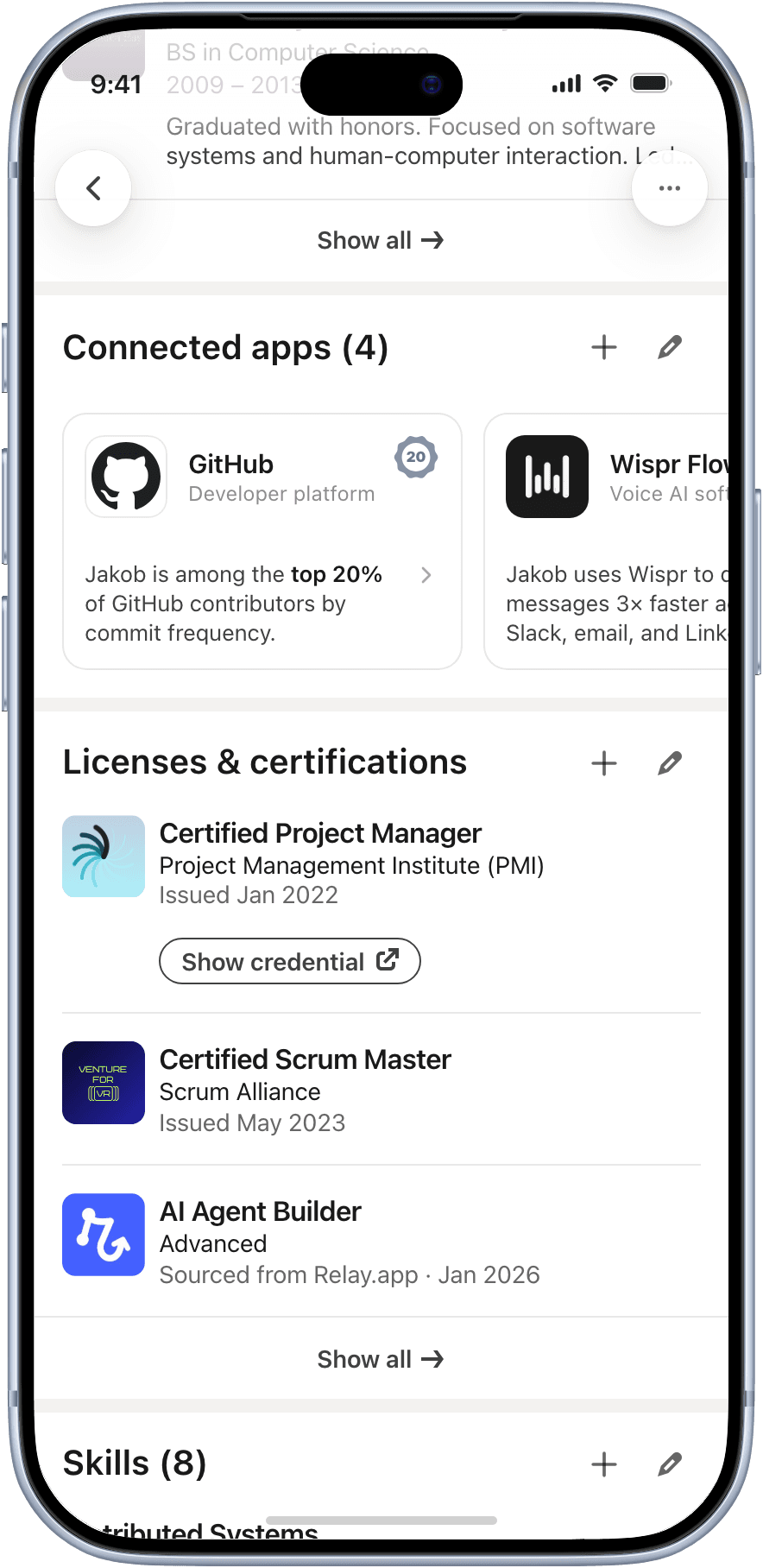
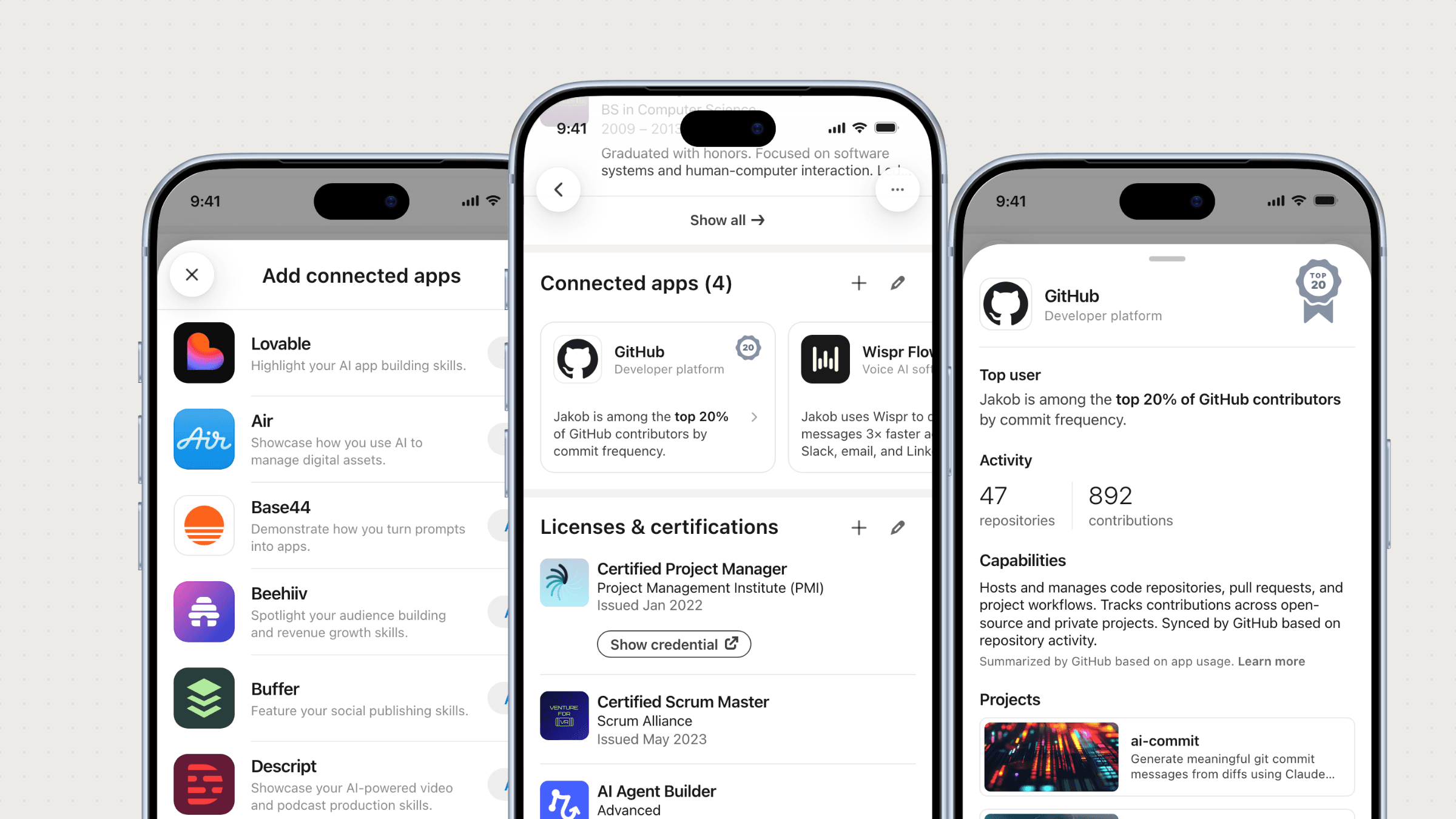
Connected apps sit on your profile as live, up-to-date proof of how you work. 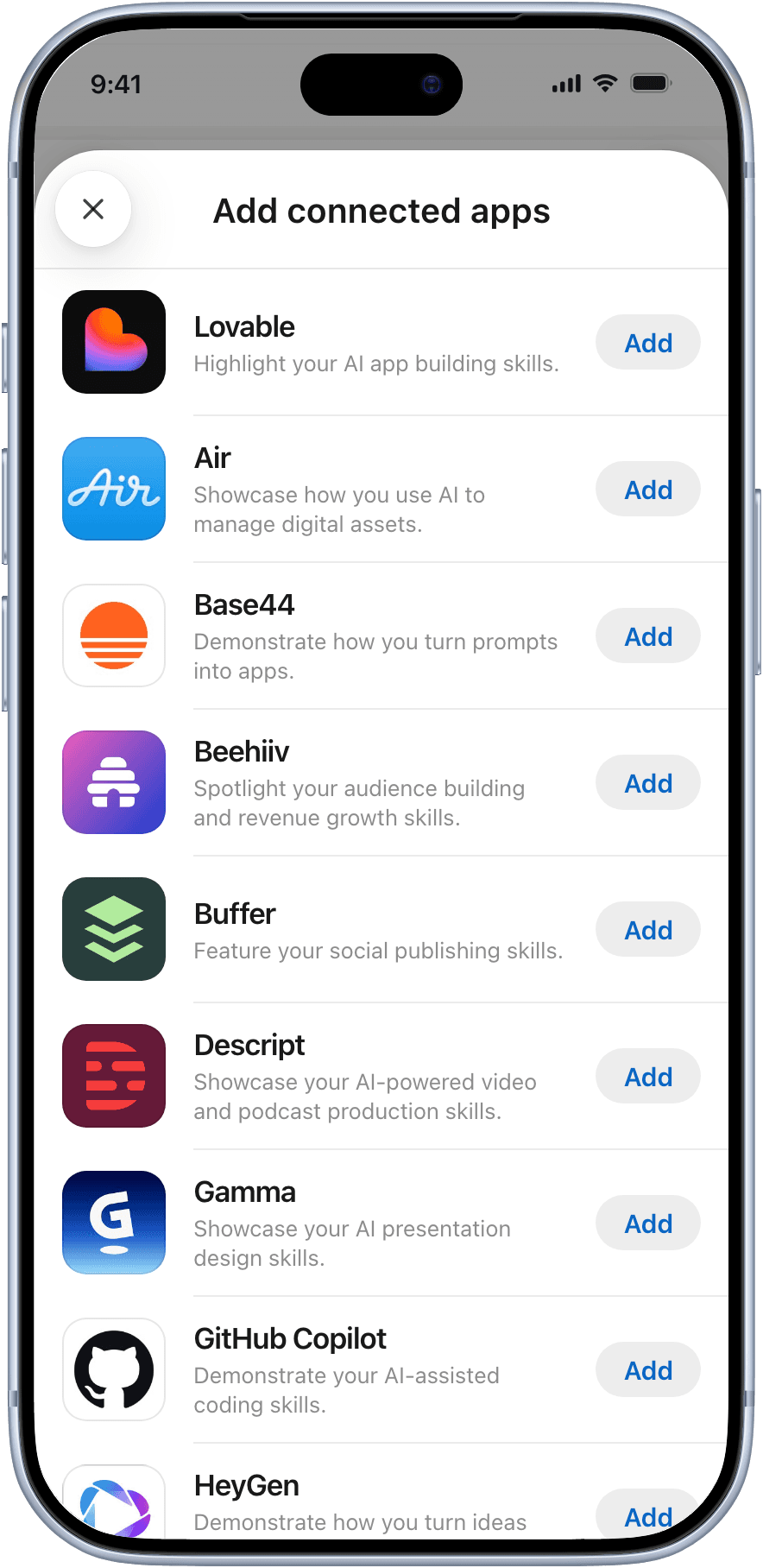
You pick from the partners’ apps and connect the ones you use. 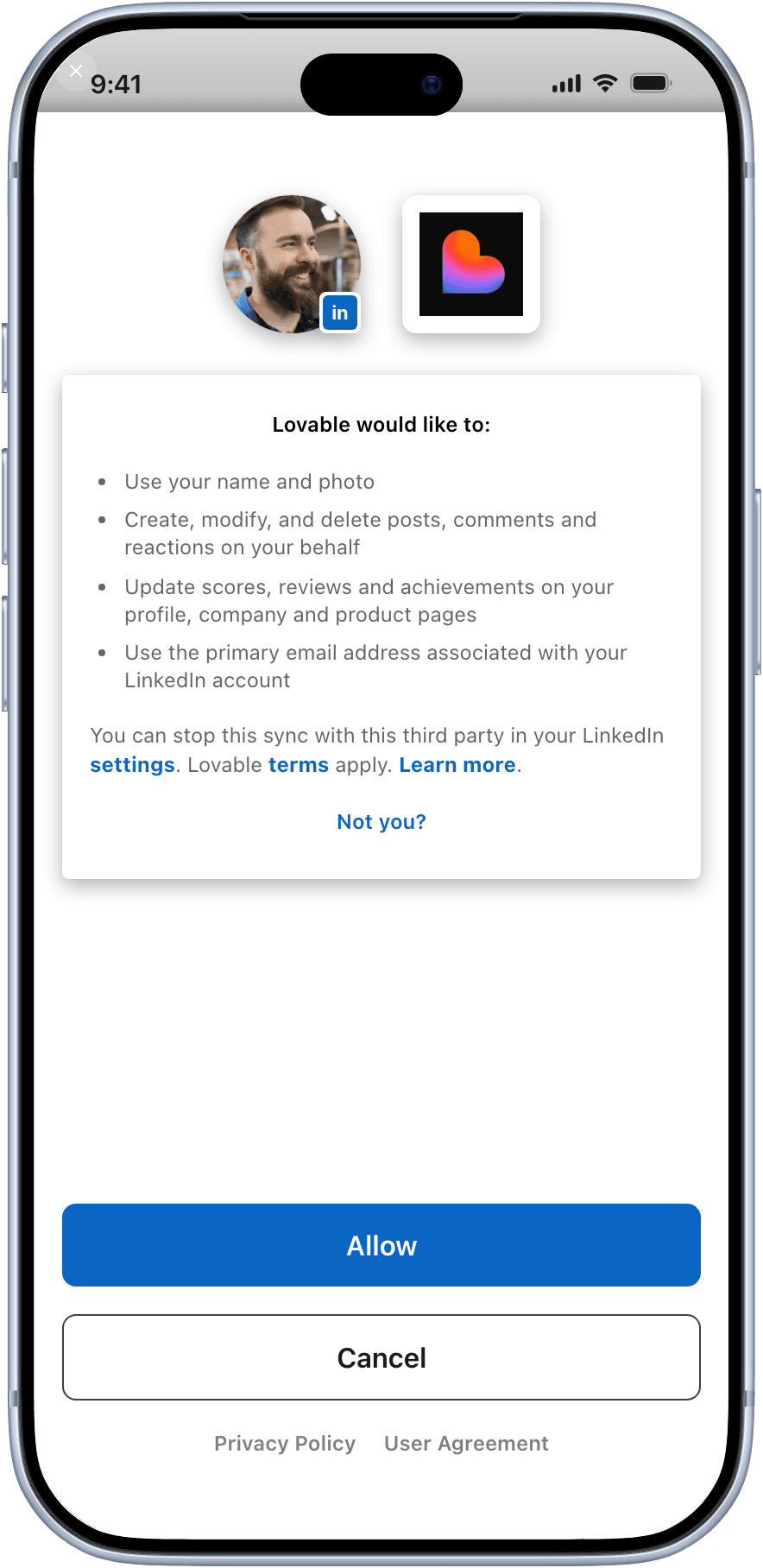
You stay in control: you allow each app to share, and you can stop the sync in your settings. 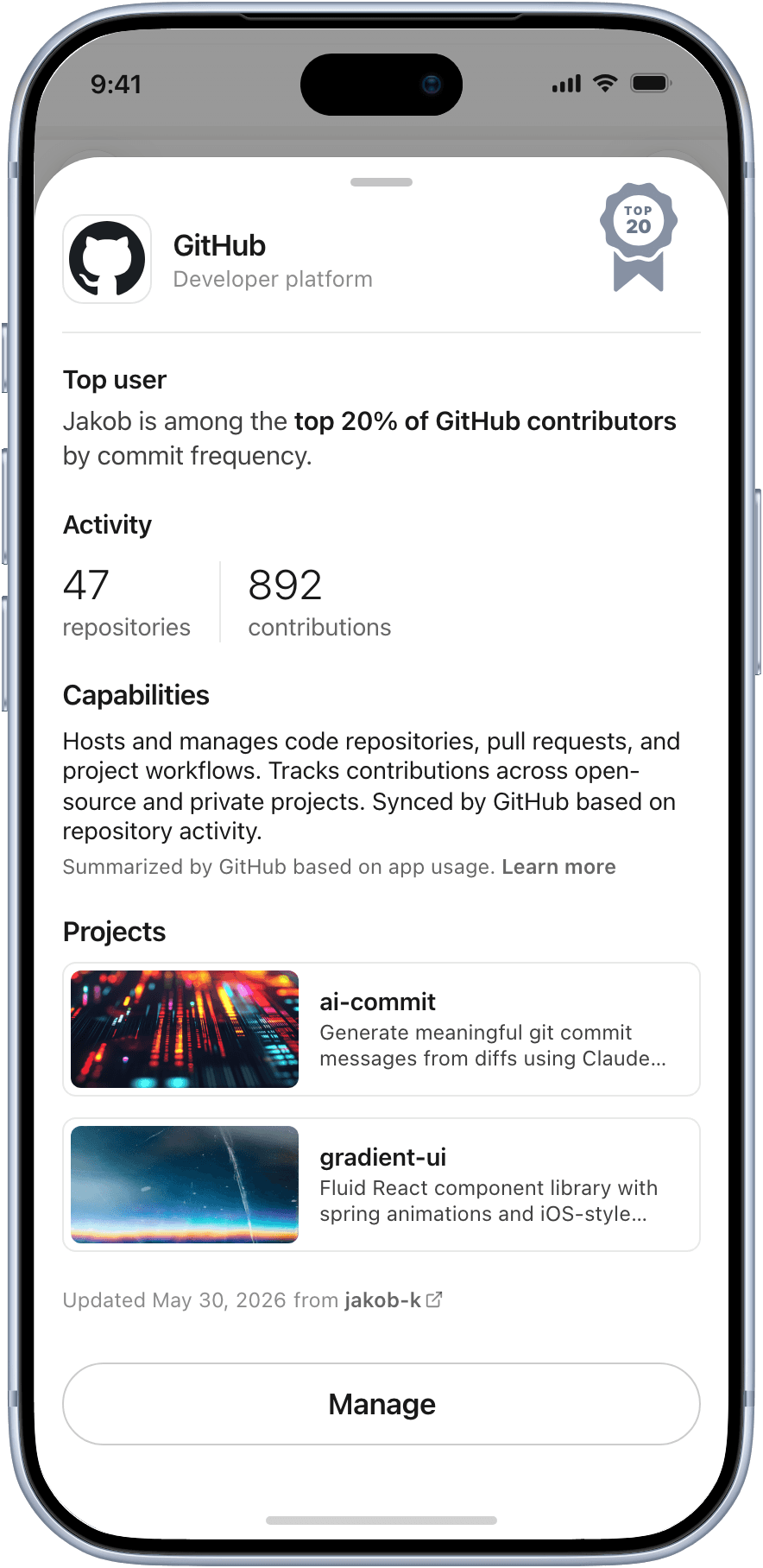
Each app describes your capabilities, based on how you use it.
A design prototype of connecting apps to your LinkedIn profile.
Try the prototypeAnnounced at Cannes, now connecting apps every day
Connected Apps debuted in June 2026, then rolled out to all our members. The strategy was partners first: members won’t connect their apps until the apps they use are there. Connect an app today and your profile shows a description of your capabilities, provided by the partner. Showing the work itself comes next, as the team keeps leveling up Projects into a better bridge for Connected Apps.
The prototype was the star at Cannes. The business development and leadership teams walked partners through the feature on their phones, with no LinkedIn account needed. More than 20 partners are live today, and interactive design prototypes are now the standard for how we work through net new features.
If I did it again, I’d lead with the prototype from day one. Nothing settles a debate faster than something people can experience in their own hands. The lessons I keep coming back to: trust your product instinct, work closely with leadership to build conviction early, and remember the simplest features usually win.
Read more in The Verge’s coverage of the launch.